
 LiveEdTech · Accessibility
AltOne
AltOne uses AI to draft context-aware alt text for all your digital documents, and a trained describer reviews and approves every description before delivery. Your content stays accessible, compliant and discoverable at scale.
Overview
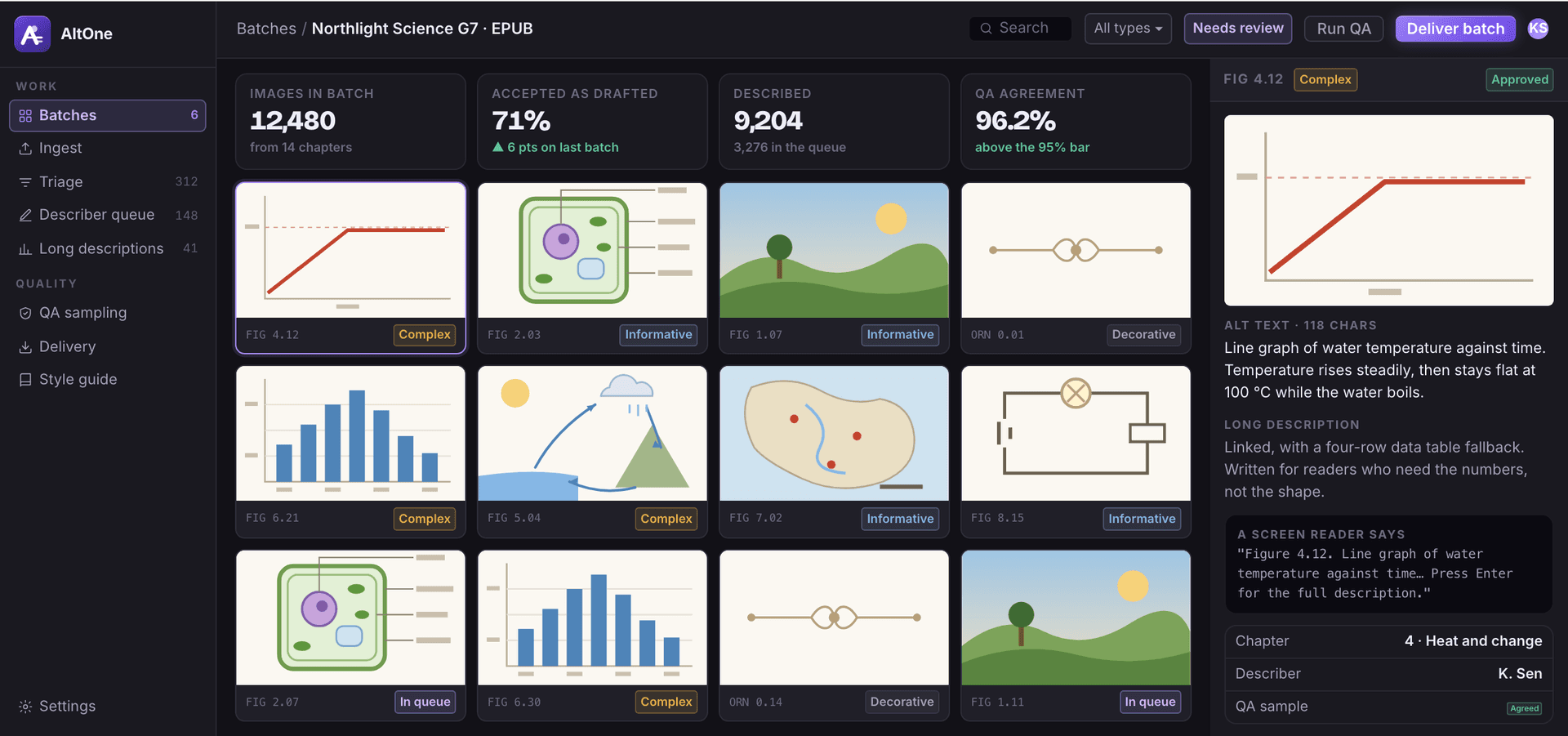
Alt text and image description, produced at catalog scale.
AltOne drafts context-aware alt text for images and graphics in seconds, so describers review and refine rather than write every description from scratch. It is built to meet WCAG 2.2 and Section 508, with real-time compliance checks and reporting, and it processes thousands of files at once through API and plugin options that plug into your existing content management systems.
It is used by K-12 and higher-education institutions making whole course libraries accessible, by academic and professional publishers streamlining alt-text production, by corporate learning divisions meeting accessibility standards without technical expertise, by government and public-sector organizations keeping public documents compliant, and by digital content agencies delivering accessible content to clients at scale.
The film · 0:30
AltOne in 30 seconds
Music only, no voiceover. Everything the film shows is set out on this page.
From page to described image
- 01 · Bulk ingestion with context
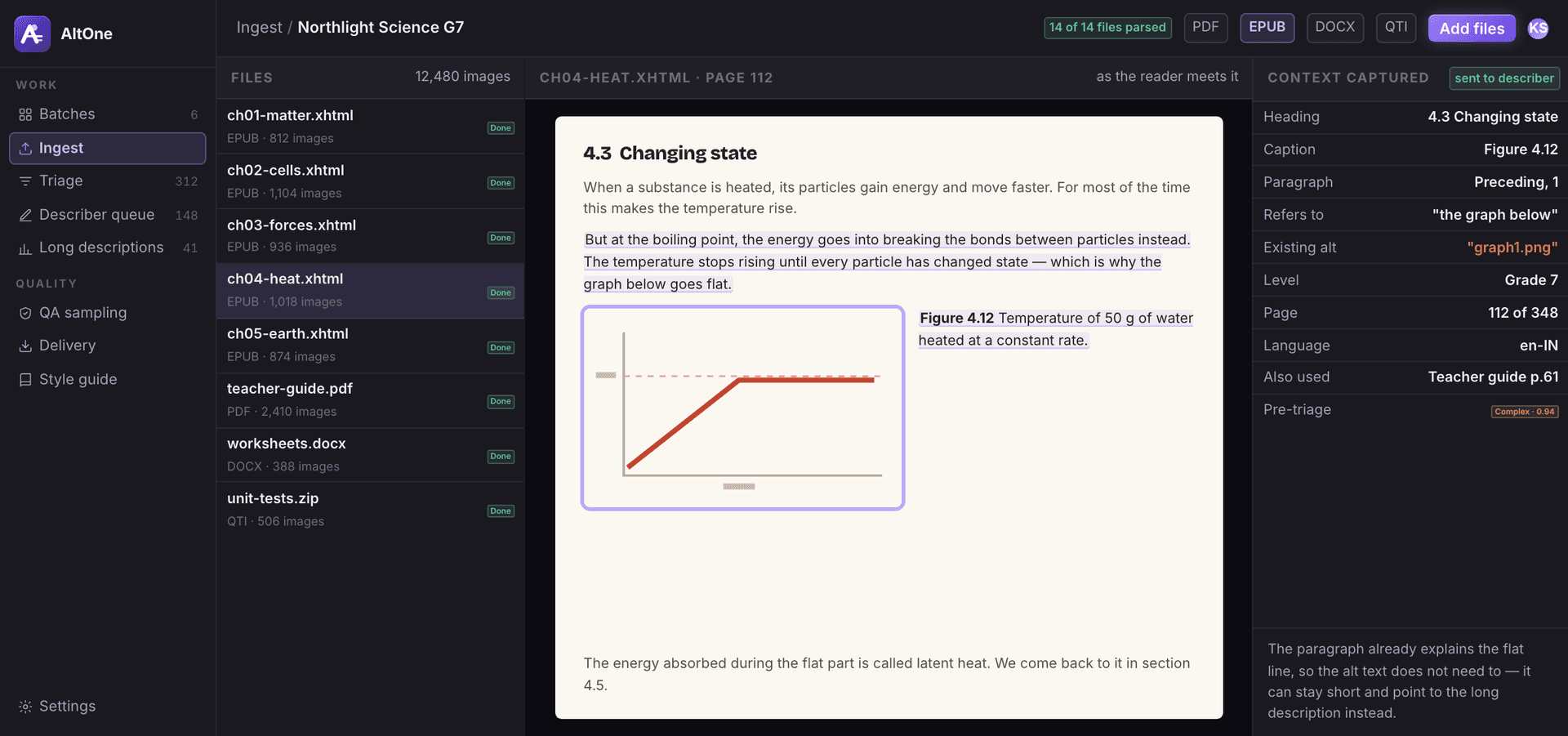
Every image arrives with the page it sits on.
Images imported with the surrounding text, so describers see the image in its instructional context.
- Headings, captions and nearby text captured
- Existing alt text flagged for review
- Whole titles ingested in one batch
- 02 · Type triage
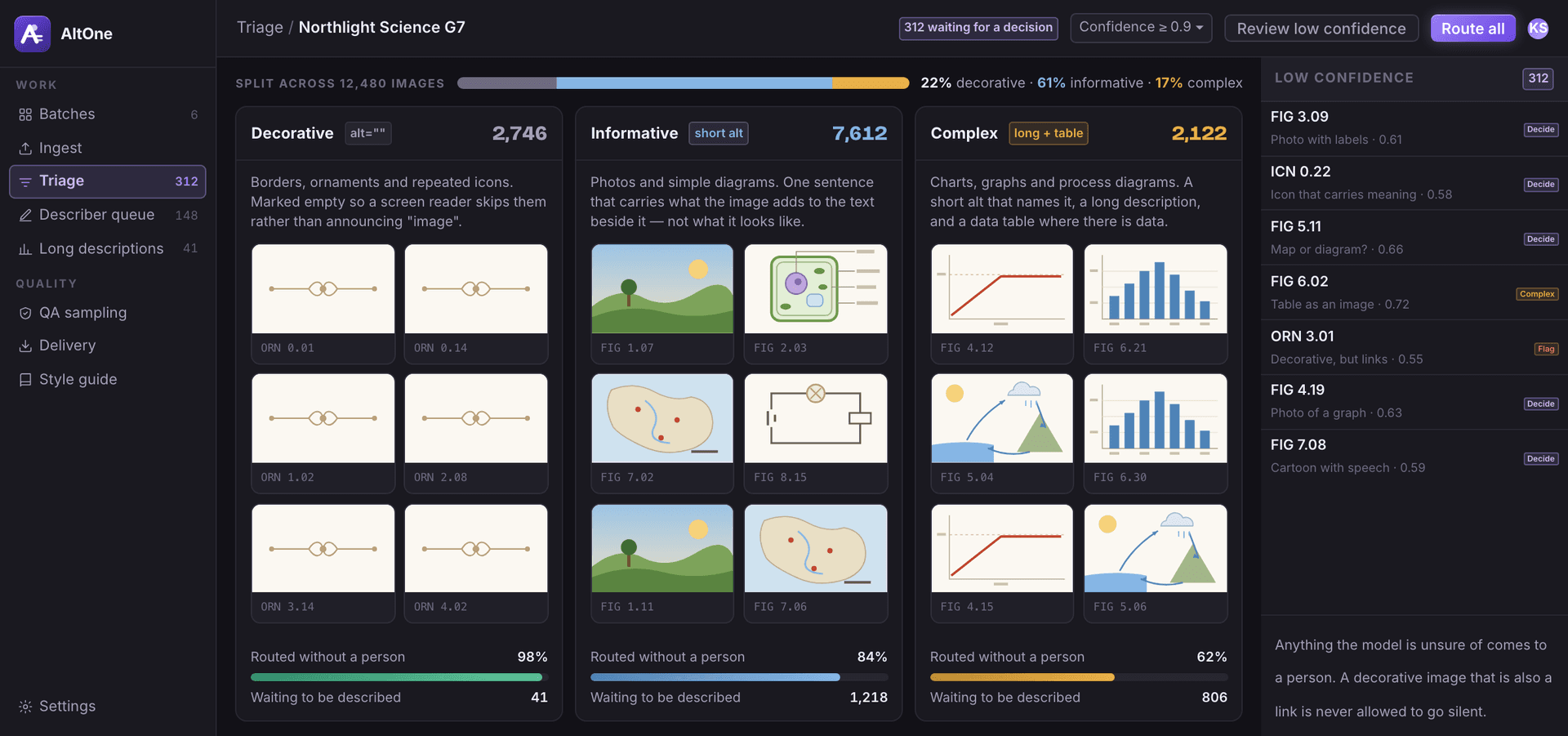
Not every image needs words, and the ones that do need different amounts.
Decorative, informative and complex images separated automatically and routed to the right treatment.
- Decorative, informative and complex images separated
- Low-confidence calls sent to a person
- Each type routed to the right treatment
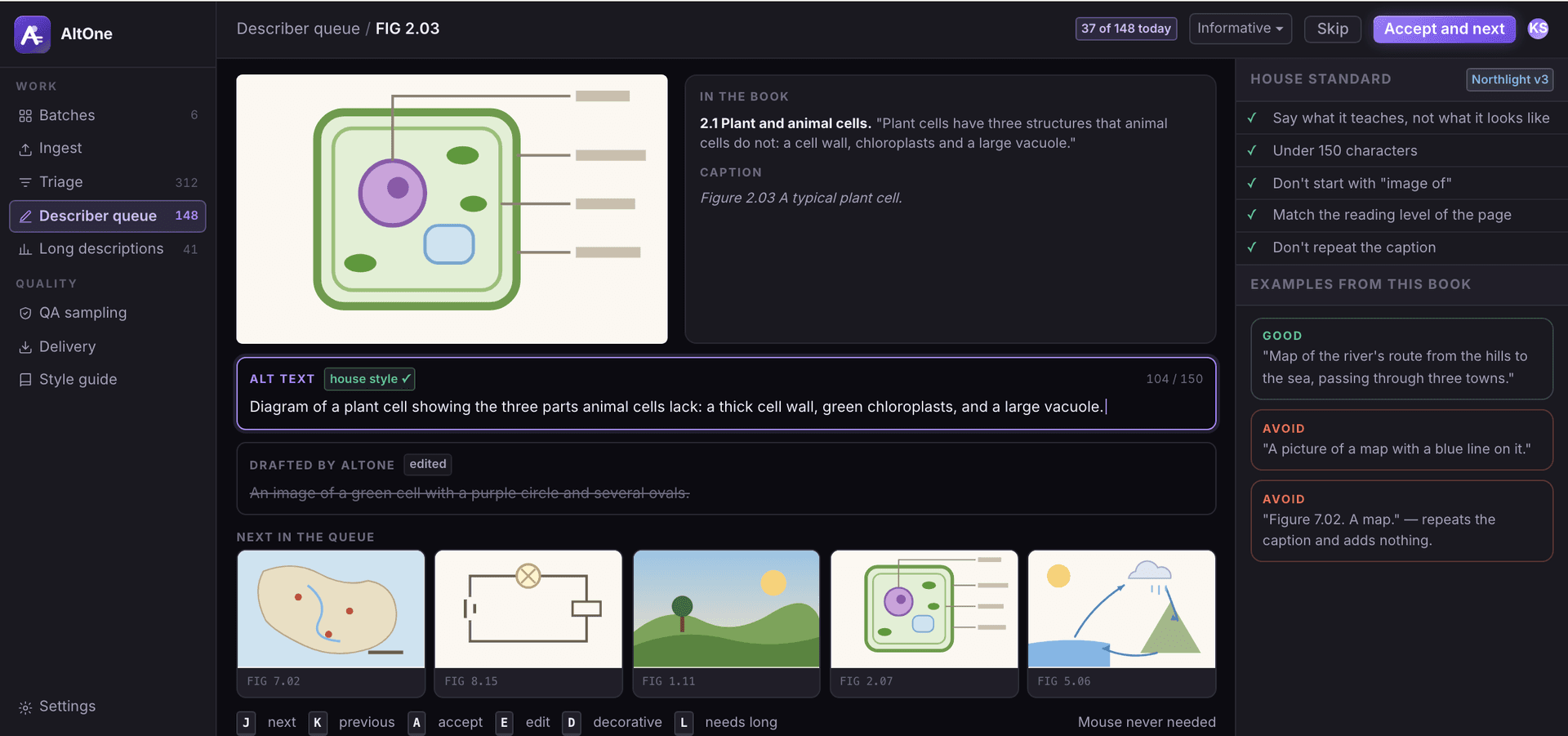
- 03 · Describer workspace
One image, one sentence, one keystroke to the next.
Keyboard-driven review queue with the house description standard and examples alongside.
- Keyboard-driven review queue
- House standard and examples alongside
- Drafts to edit, not blank fields
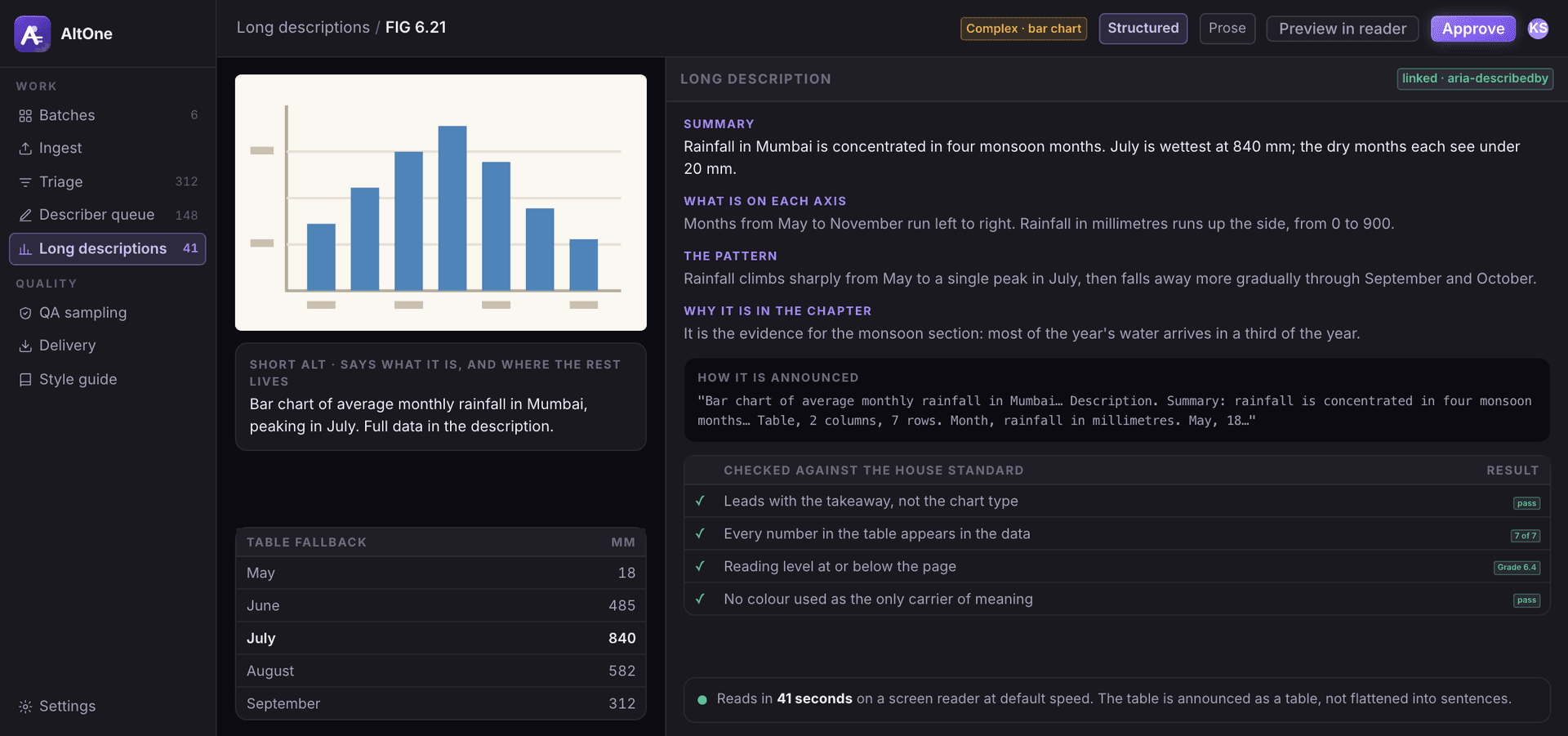
- 04 · Long descriptions
A chart is described as data, not as a shape.
Extended descriptions for charts, diagrams and data figures, with a table fallback.
- Extended descriptions for charts and diagrams
- Data table fallback
- Short alt text that points to the full description
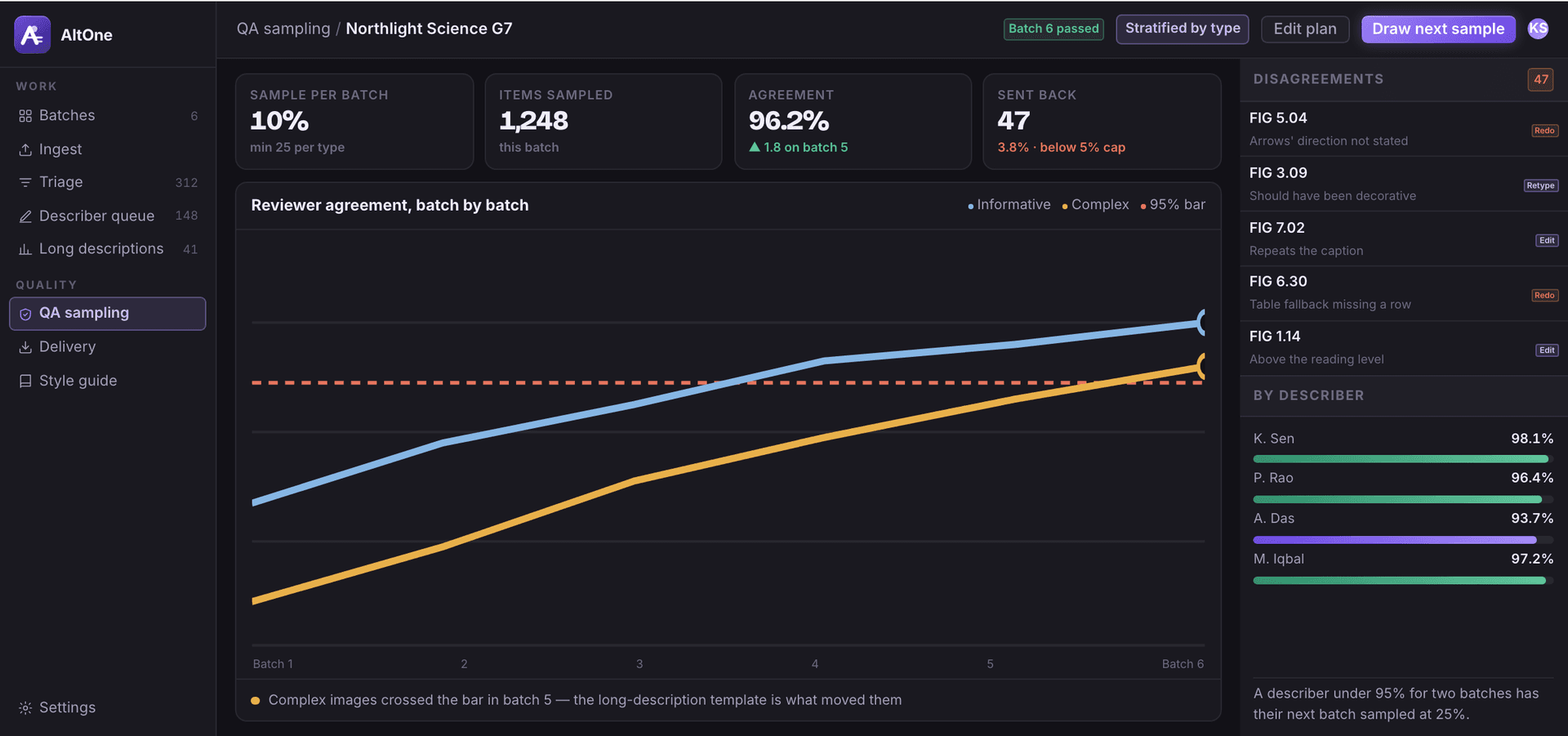
- 05 · QA sampling
Quality you can show a publisher, batch by batch.
Configurable per-batch sampling with reviewer agreement tracked over time.
- Configurable sampling per batch
- Reviewer agreement tracked over time
- Disagreements sent back for rework
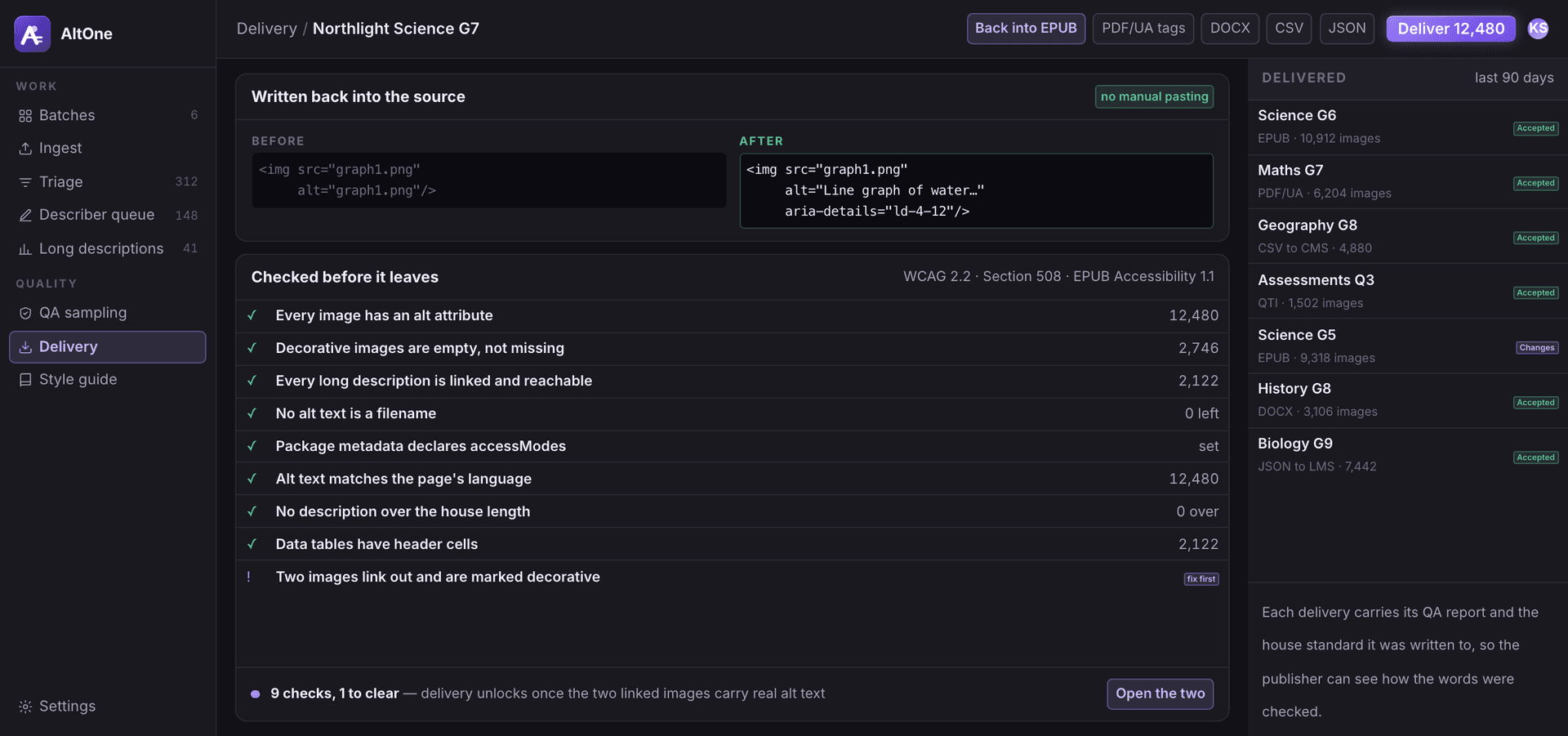
- 06 · Delivery
The words go back where the images live.
Export back into the source system, or as a structured file.
- Written back into the source files
- Structured file export
- Checks before anything is delivered
Key features
Thousands
Bulk-ready
Process thousands of files at once; PDF, EPUB, DOCX, QTI and more.
WCAG 2.2
WCAG 2.2 and Section 508
Built to meet WCAG and other global standards, with real-time compliance checks and reporting.
Seconds
Drafts in seconds
Context-aware drafts for images, charts and graphics in seconds, ready for a describer to review.
Screen + search
Screen readers and search alike
Descriptions optimized for assistive technology and for discoverability.
Your tone
Your style, your brand
Preferences for tone, length and language to match your guidelines.
Questions we get before the first call
See AltOne on your own content.
Send a sample and we walk you through a real run, not a slide deck. Product inquiries land with the EdTech team as a tagged lead.