
 LiveEdTech · Curriculum design
CurriculumCraft
From learning objectives to outlines, storyboards and draft modules in minutes, with the standards coverage visible at every step.
Overview
Plan a curriculum where the standards coverage is visible.
Curriculum mapping usually lives in a spreadsheet that one person maintains and nobody trusts. The questions it should answer — which standards are unassessed, which outcome is taught three times, what changes if this unit moves — are exactly the questions a spreadsheet cannot.
CurriculumCraft holds the map as structured data: outcomes, standards, units, assessments and materials, with coverage and duplication calculated rather than counted by hand. Faculty and designers work in the same map, and a course, unit or program view can be exported for accreditation.
The film · 0:30
CurriculumCraft in 30 seconds
Music only, no voiceover. Everything the film shows is set out on this page.
From outcome to accreditation
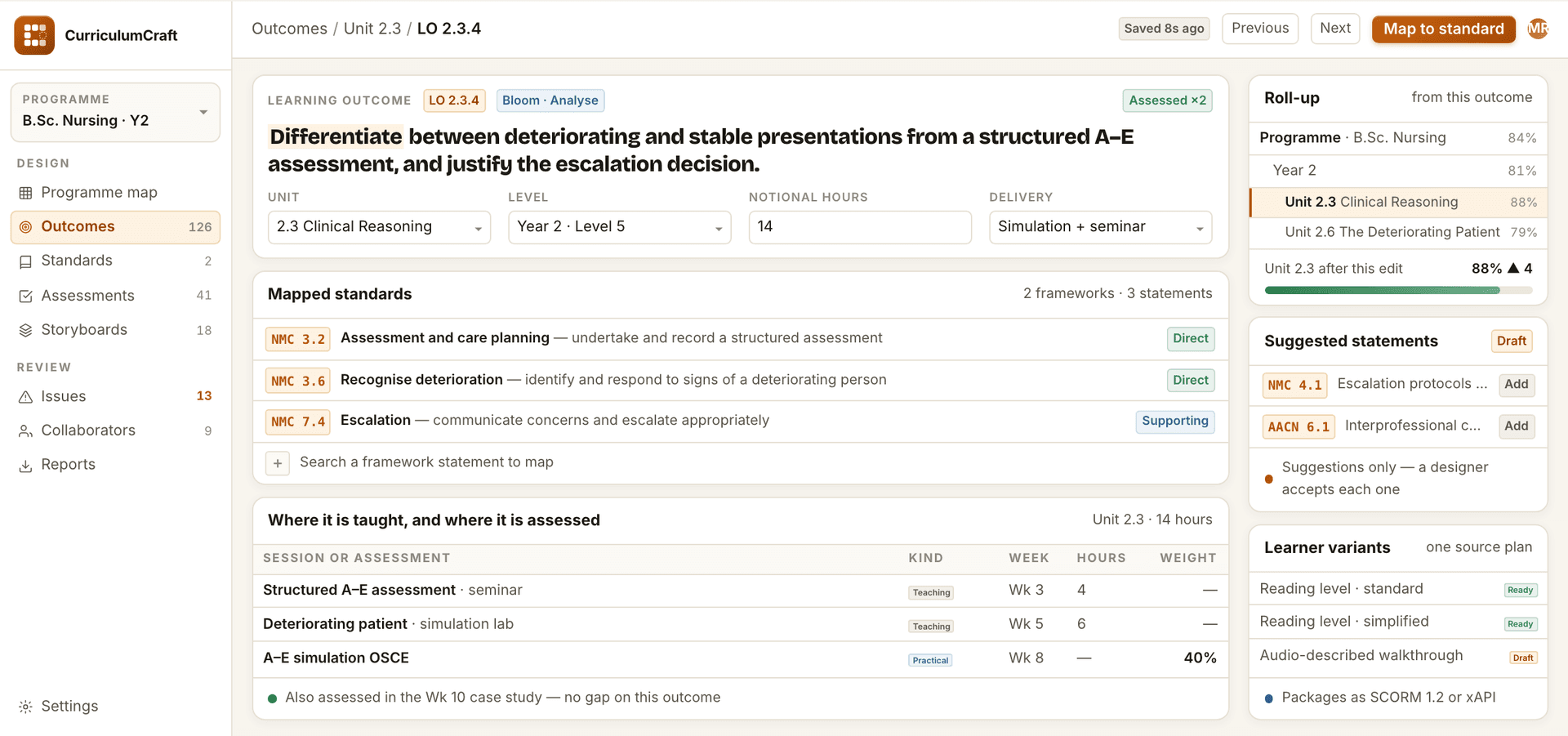
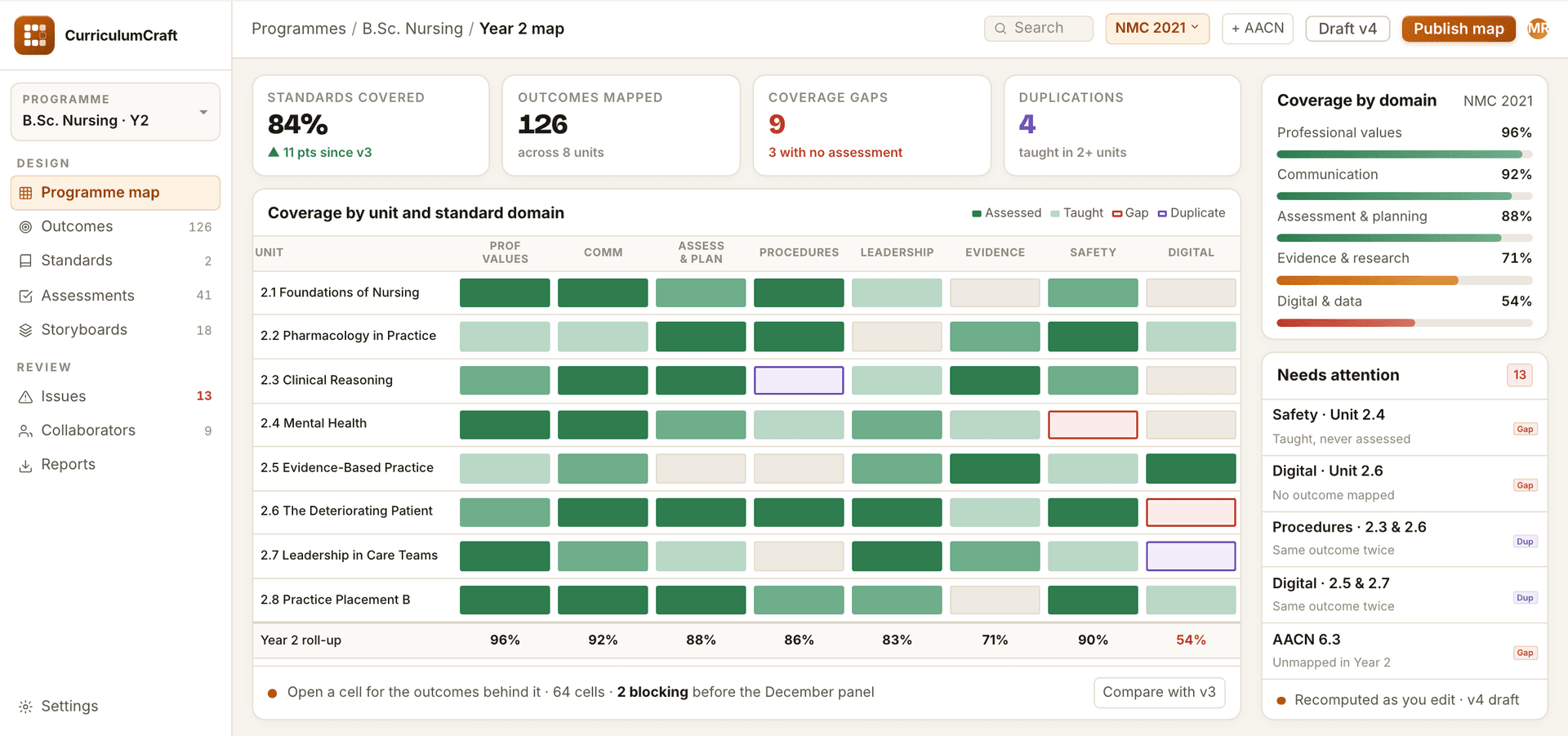
- 01 · Outcome & standards mapping
Write the outcome once; every framework it satisfies updates with it.
Align outcomes to one or more standards frameworks and see coverage roll up by unit and program.
- Map to several standards frameworks at once
- Coverage rolls up by unit and program
- Direct and supporting alignments kept apart
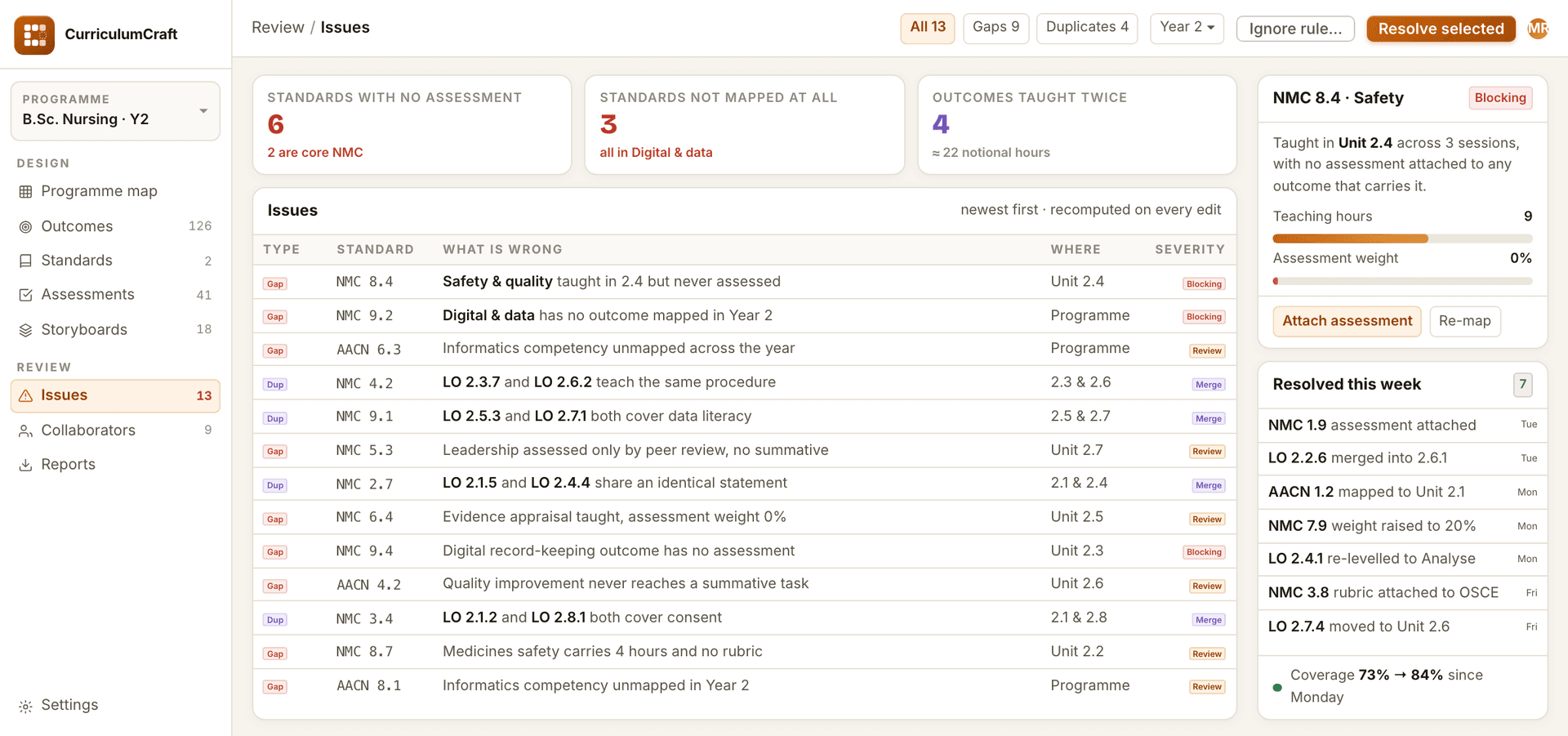
- 02 · Gap & duplication analysis
The map tells you what is missing before a validation panel does.
Standards with no assessment, and outcomes taught more than once, surfaced as you edit.
- Standards taught but never assessed
- Outcomes taught in more than one unit
- Recomputed as you edit
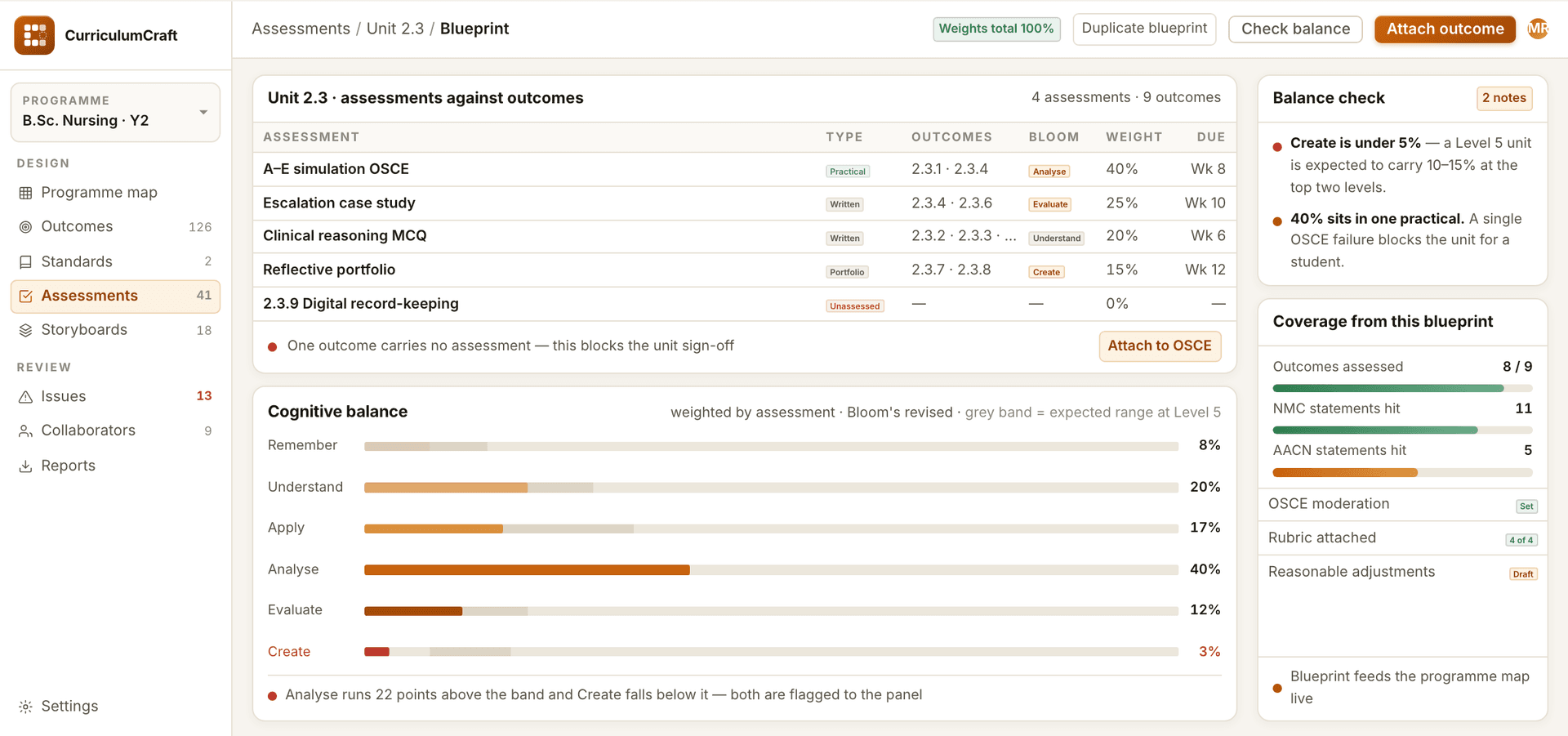
- 03 · Assessment blueprinting
See what each assessment actually tests, and at what level.
Attach assessments to outcomes and check the balance of cognitive levels.
- Assessments attached to the outcomes they cover
- Balance of cognitive levels against the expected range
- Unassessed outcomes flagged before sign-off
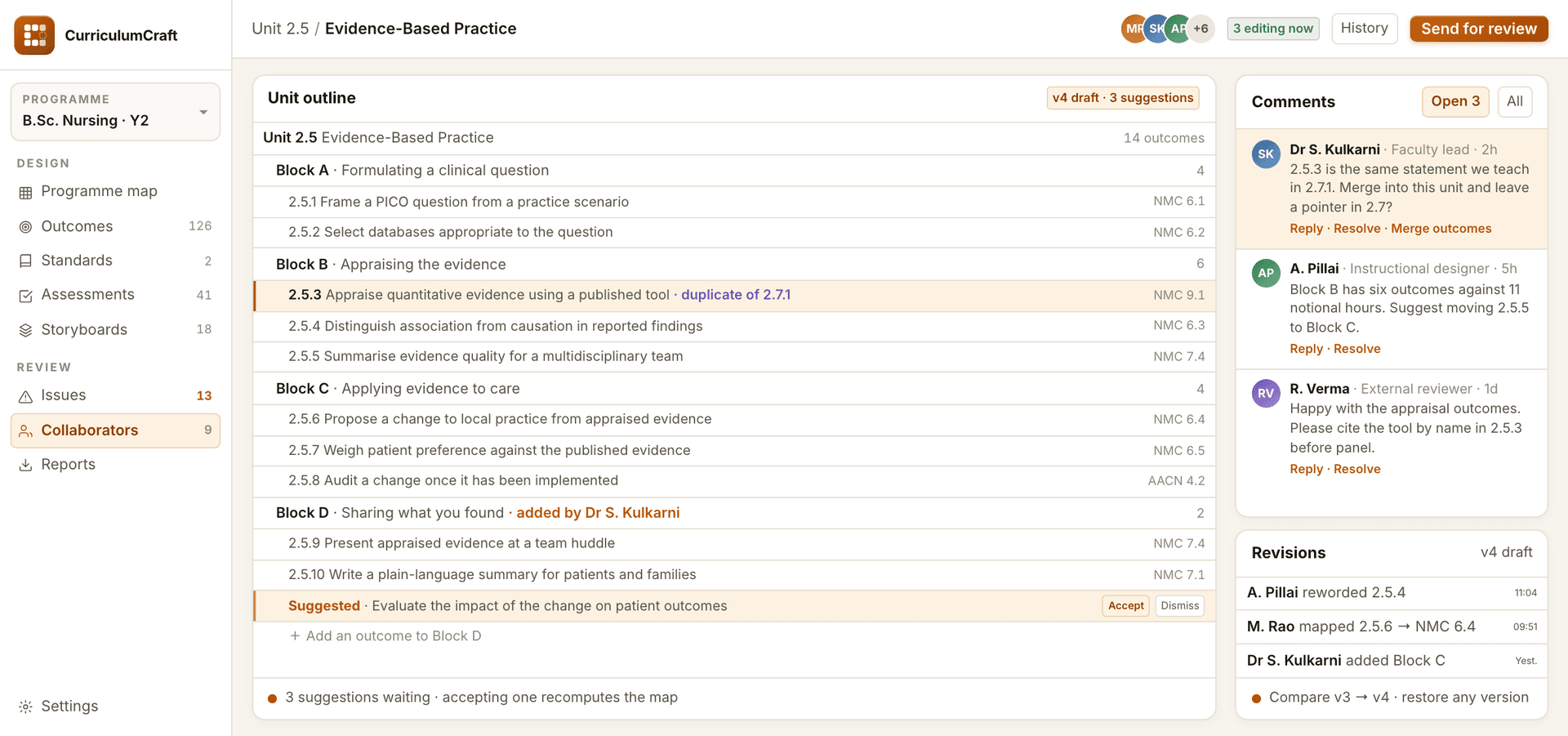
- 04 · Collaborative authoring
One map, every reviewer on it, and a record of who changed what.
Faculty, designers and reviewers working in one map with comments and revisions.
- Comments on the outcome they concern
- Suggestions accepted or dismissed in place
- Revision history with restore
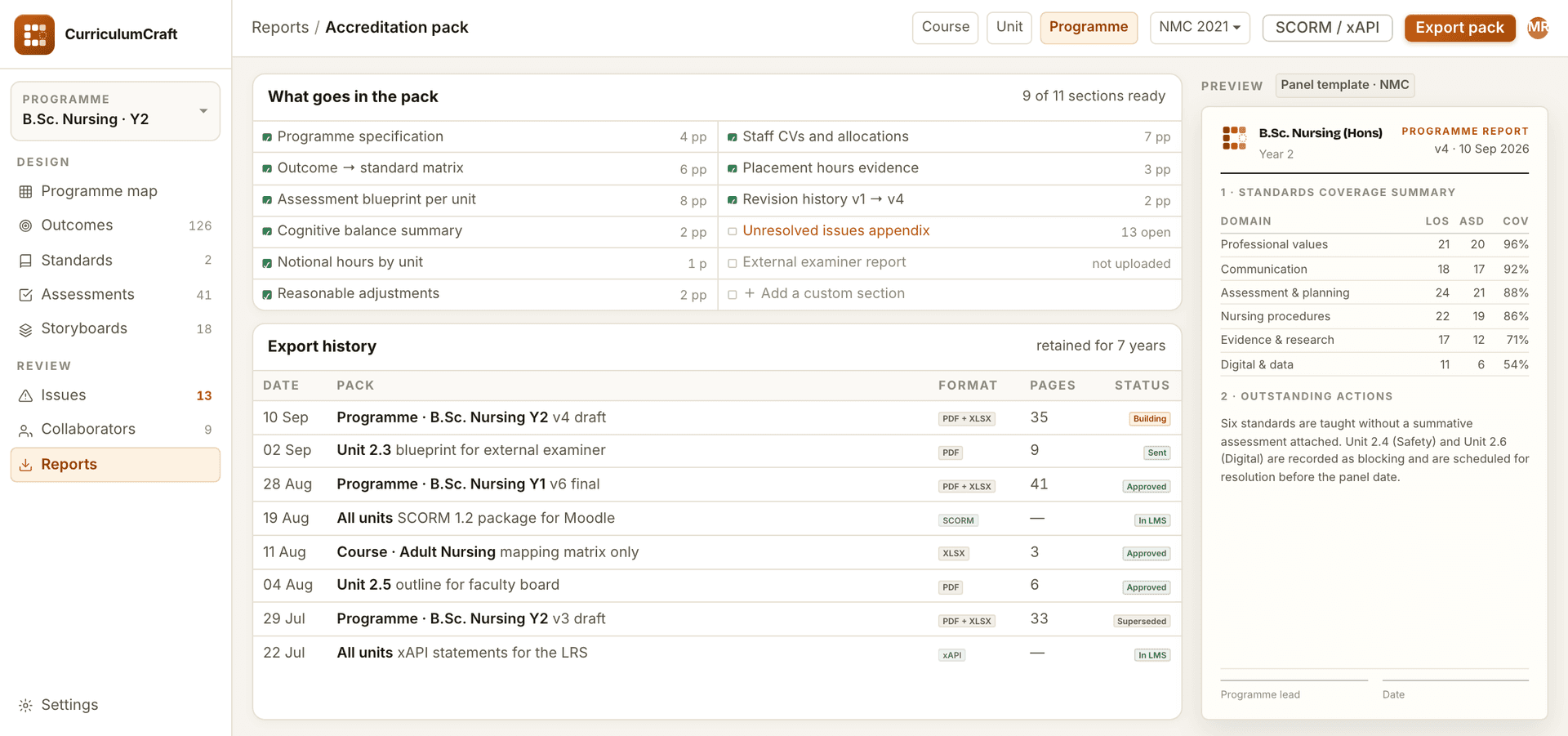
- 05 · Accreditation exports
The panel pack builds itself out of the map you already keep.
Course, unit and program reports exported for review and accreditation panels.
- Course, unit and program reports
- Outcome-to-standard matrix
- Revision history included
Key features
Mapped
Standards-aligned
Every objective mapped to the standards you teach against, with gaps visible before authoring starts.
Ready to refine
Storyboards
Draft storyboards and module outlines generated from the objectives, ready for designers to refine.
Drop-in
SCORM / xAPI
Packages that drop straight into your LMS with tracking intact.
One source
Diverse learner styles
Variants for reading level, modality and pace from one source plan.
Your call
Designer in the loop
Everything generated is a draft an instructional designer approves, edits or discards.
Questions we get before the first call
See CurriculumCraft on your own content.
Send a sample and we walk you through a real run, not a slide deck. Product inquiries land with the EdTech team as a tagged lead.