
 LiveEdTech · Assessment
Assessly
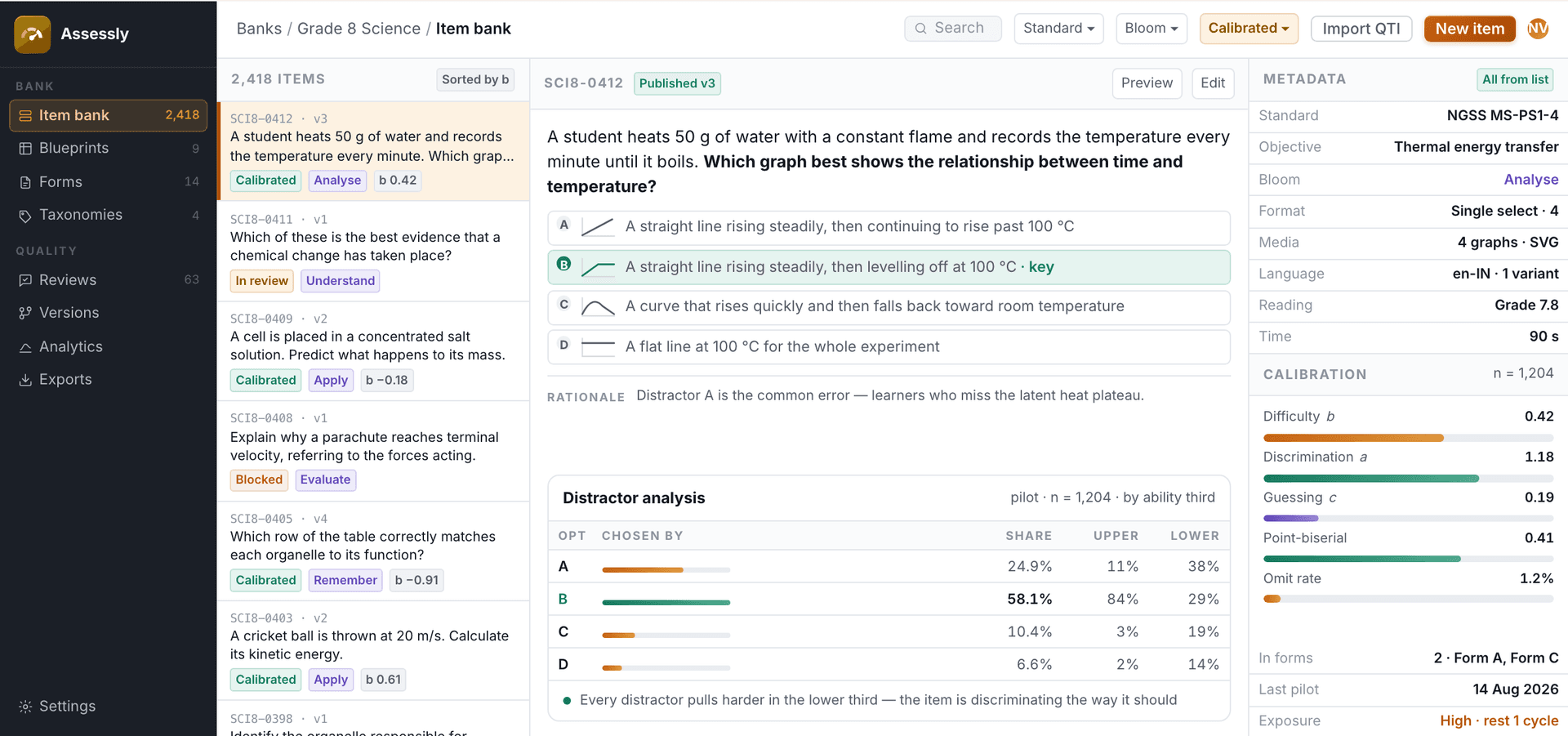
An item bank that keeps its metadata honest: standards-aligned items generated across Bloom’s levels, auto-tagged, calibrated with real learners and exported to any LMS.
Overview
An item bank that keeps its metadata honest.
An item bank degrades quietly. Tags drift, review states go stale, two versions of the same item live under different IDs, and by the time someone needs a blueprinted form the metadata cannot be trusted.
Assessly enforces the process that keeps a bank usable: authoring against a blueprint, a review workflow with named states and reviewers, controlled taxonomies for standards and difficulty, and versioning so an item edited after publication does not silently change a delivered form. Forms are assembled against the blueprint and exported as QTI.
The film · 0:30
Assessly in 30 seconds
Music only, no voiceover. Everything the film shows is set out on this page.
From blueprint to delivered form
- 01 · Blueprint-driven authoring
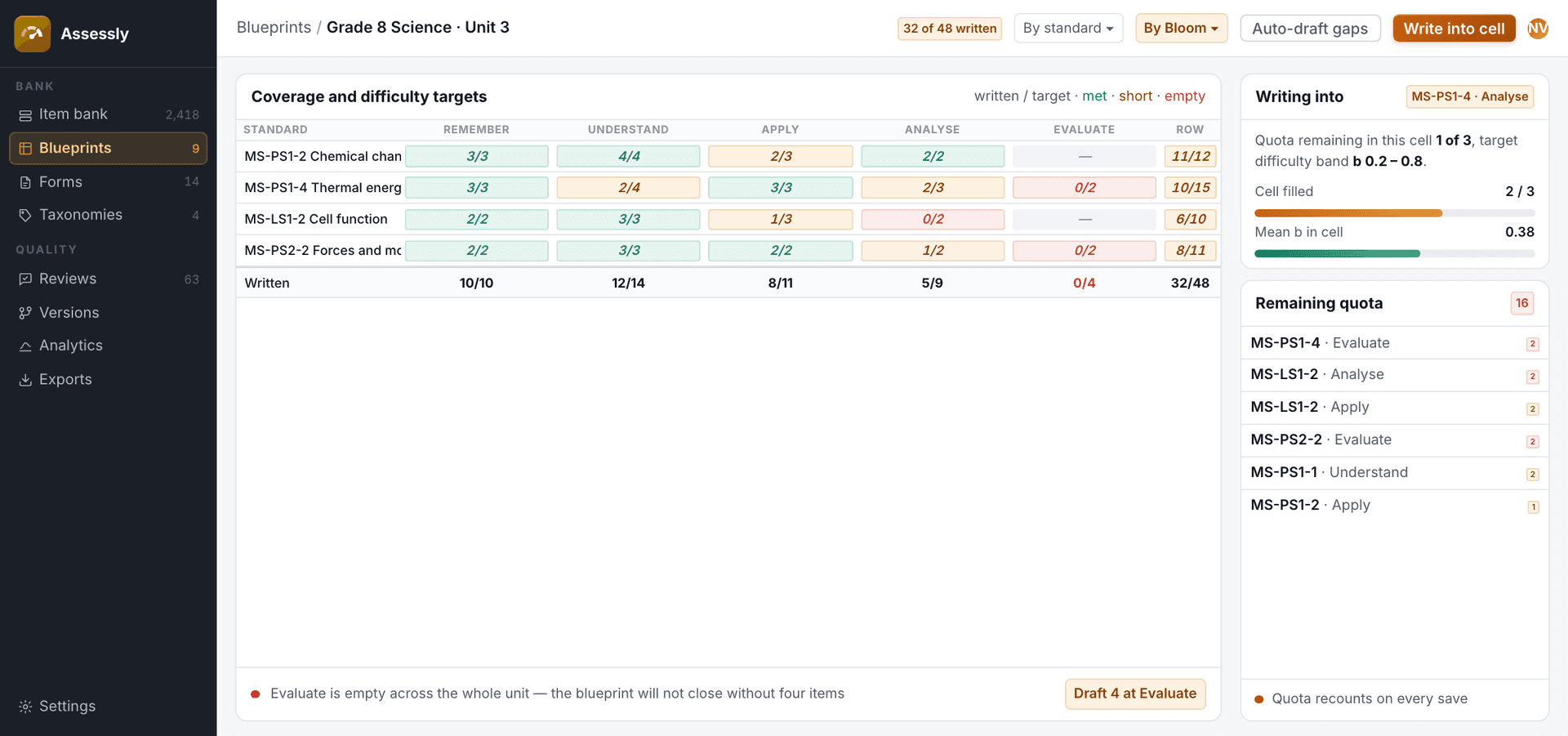
Write into a cell that is short, not into a pile.
Author against coverage and difficulty targets, with remaining quota visible per cell.
- Coverage and difficulty targets per cell
- Remaining quota visible as you write
- Empty cells flagged before the form is built
- 02 · Review workflow
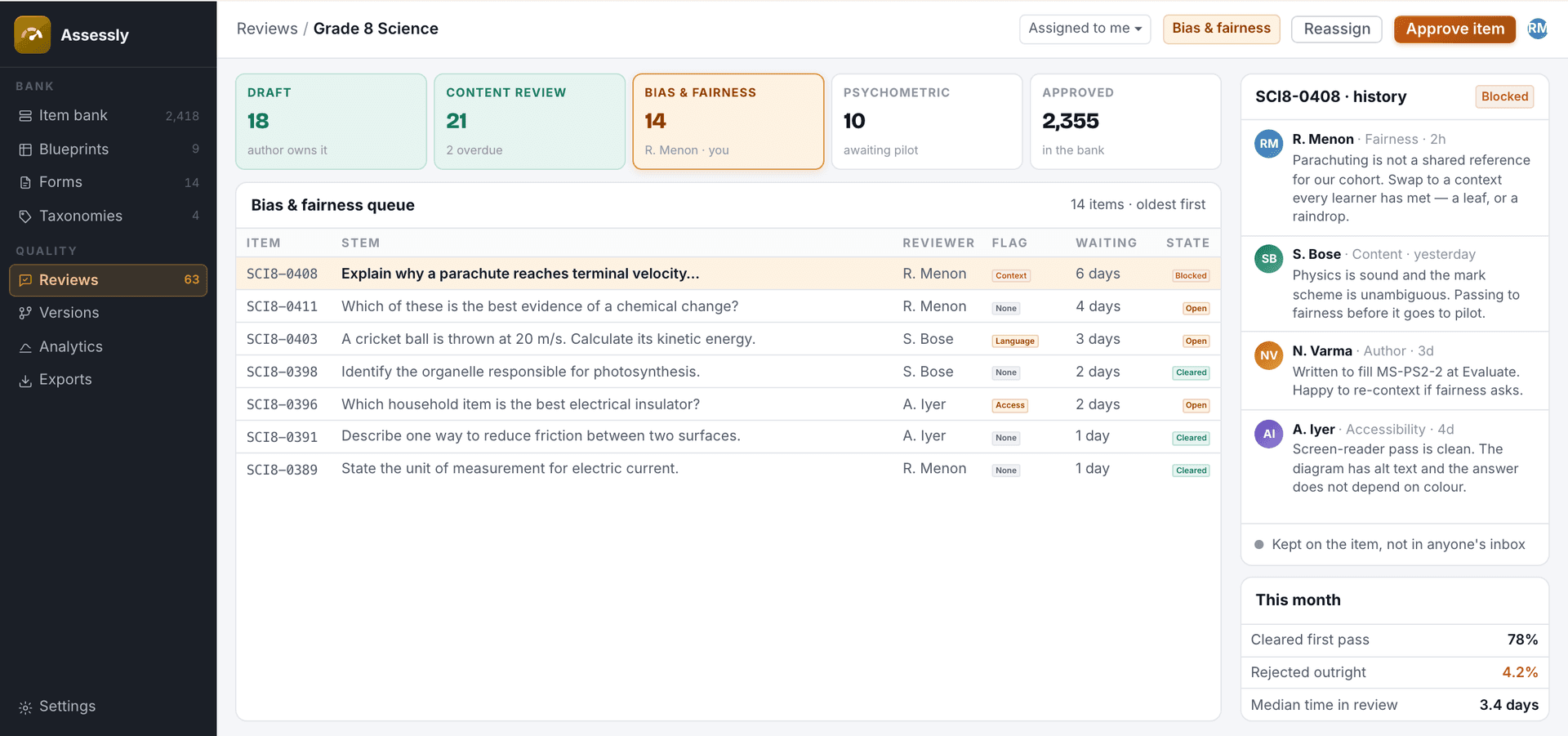
Every objection lives on the item that caused it.
Named states, assigned reviewers and a comment history retained on the item, not in email.
- Named review states
- Assigned reviewers for each stage
- Comment history kept on the item
- 03 · Controlled tagging
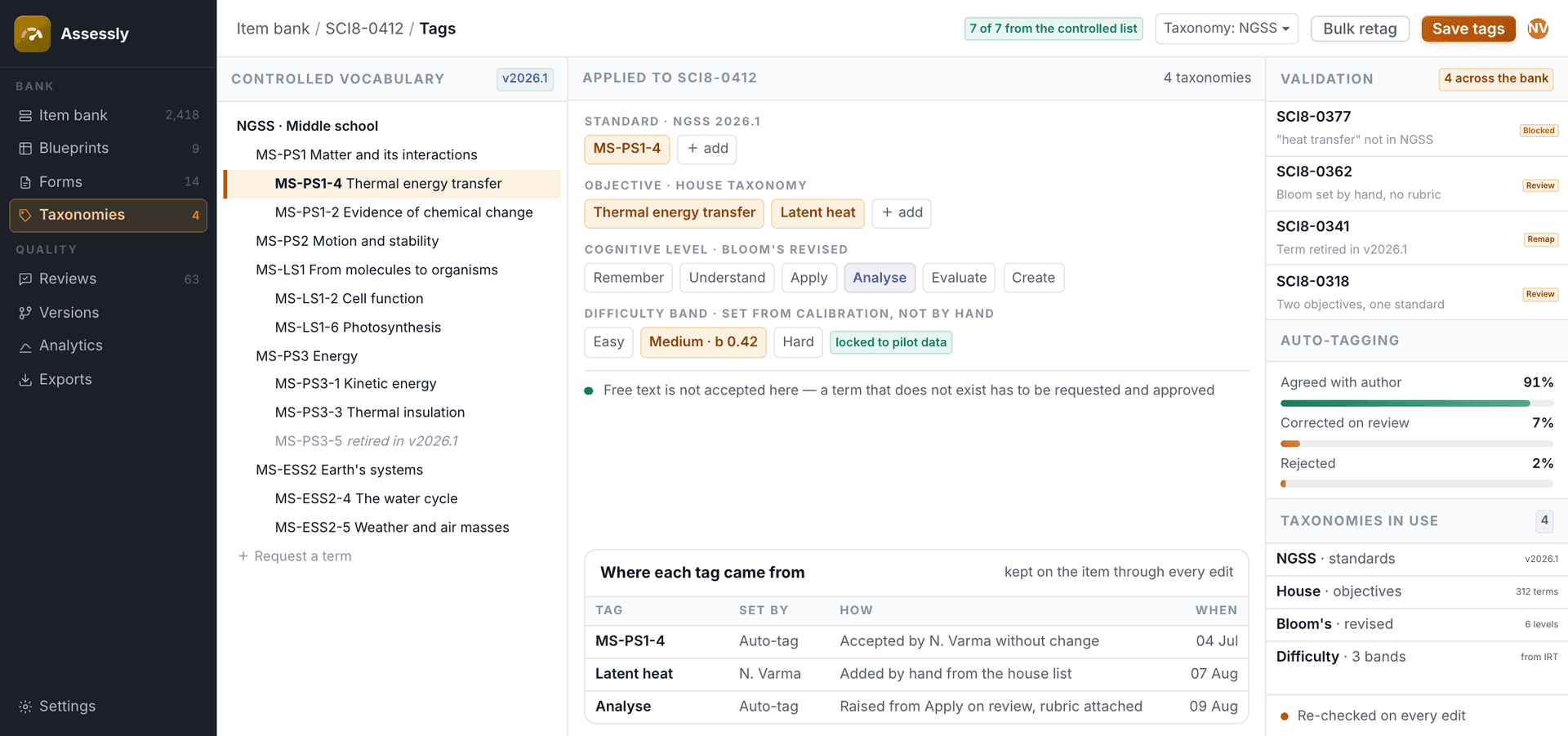
A tag that is not on the list cannot be typed into the bank.
Standards, cognitive level, difficulty and custom taxonomies applied from a controlled list.
- Standards, cognitive level and difficulty from controlled lists
- Custom taxonomies
- Tags checked on every edit
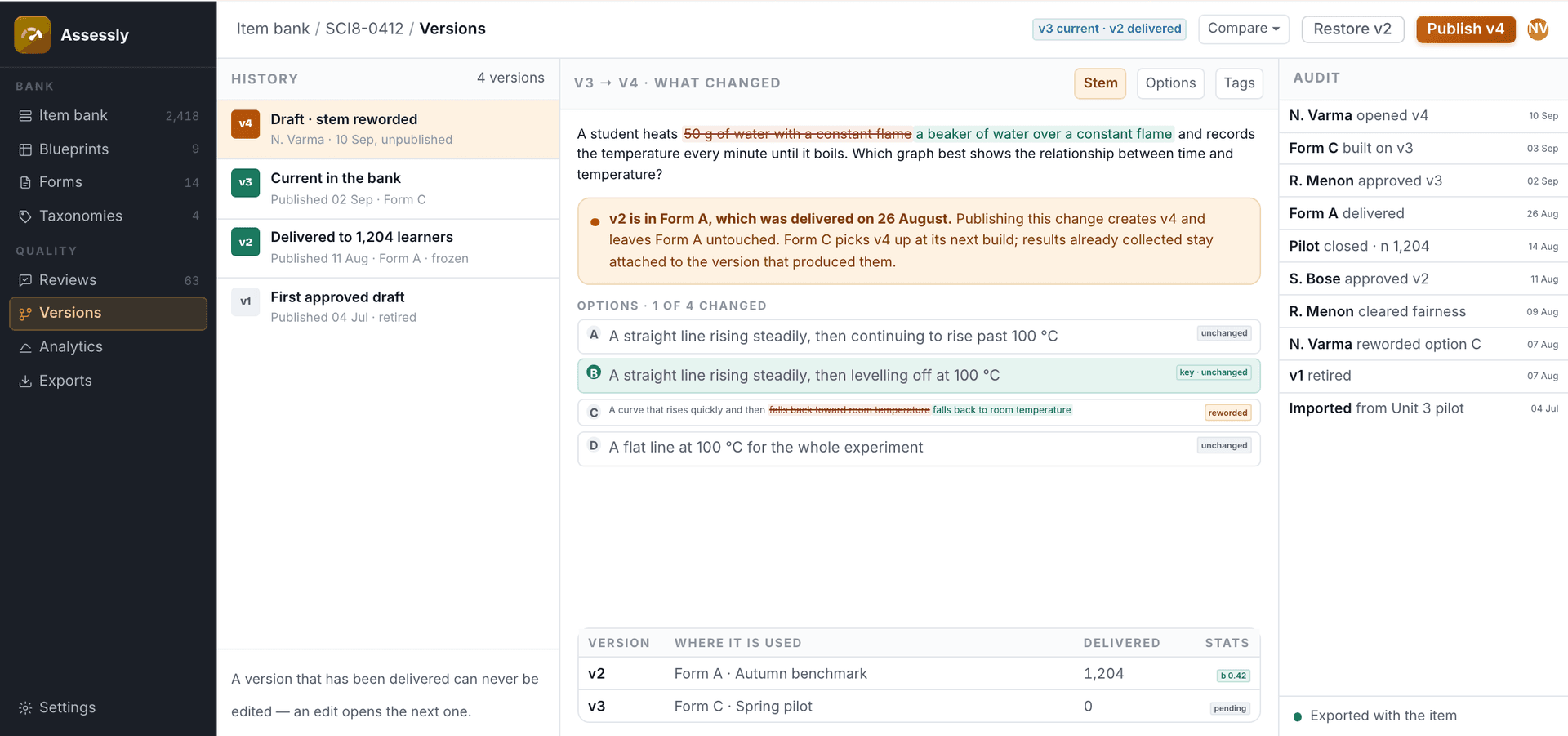
- 04 · Item versioning
Fix the item without rewriting history for the learners who already sat it.
Published items are versioned, so edits never mutate a form already delivered.
- Delivered versions frozen
- Changes compared version to version
- Audit trail on every item
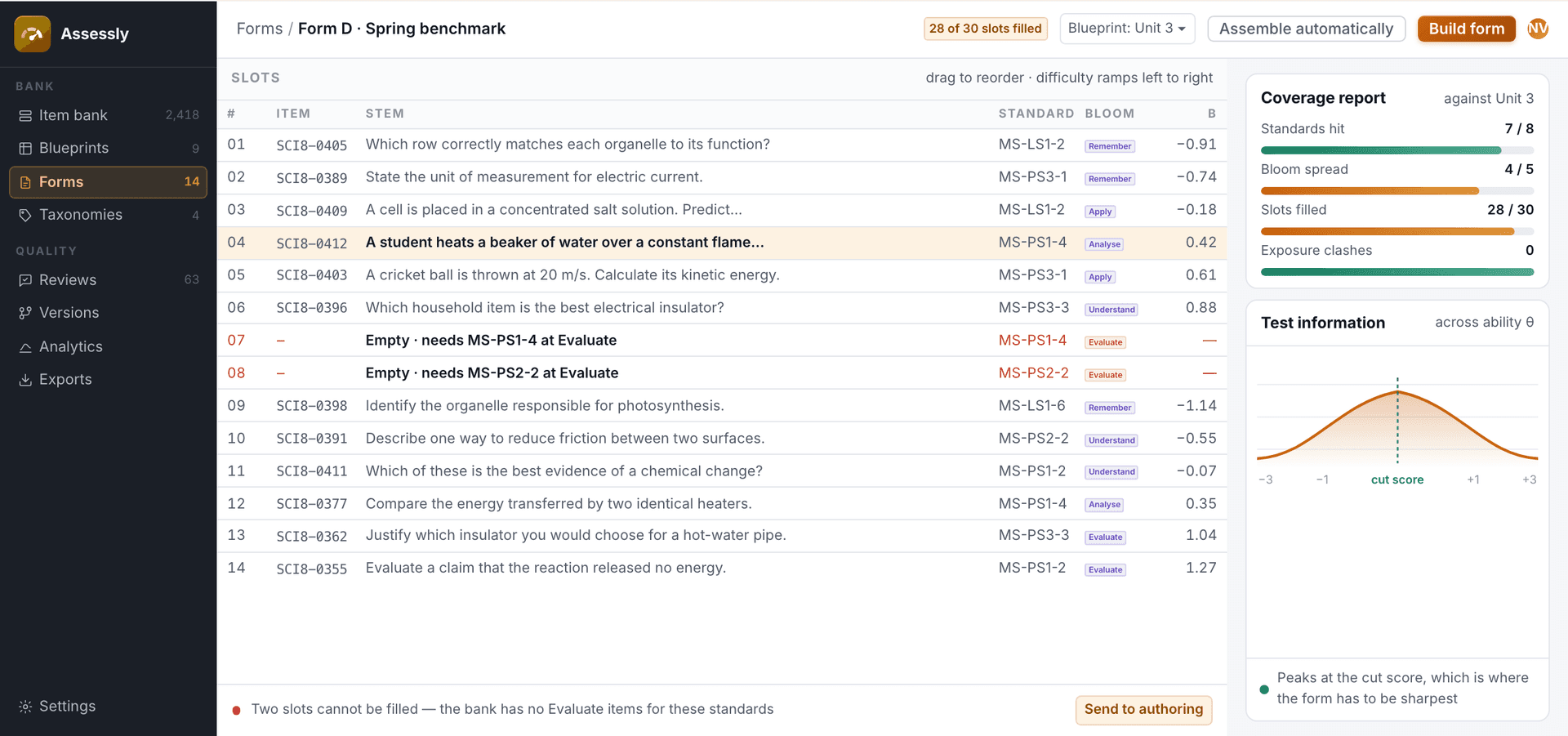
- 05 · Form assembly
Assemble to the blueprint, and see what the bank cannot yet cover.
Automatic and manual form assembly against a blueprint, with a coverage report.
- Automatic or manual assembly
- Coverage report against the blueprint
- Unfilled slots sent back to authoring
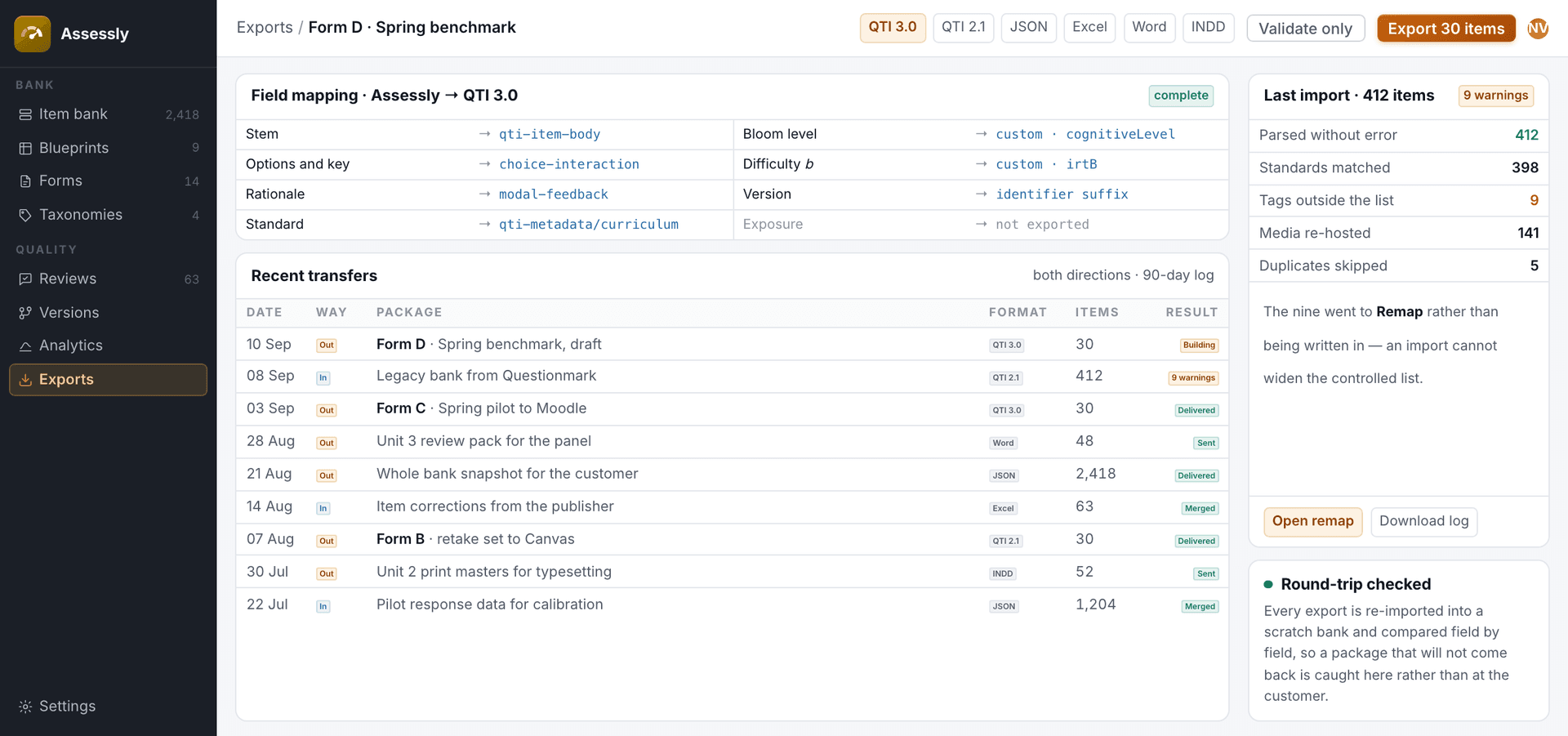
- 06 · QTI import & export
Everything you put in comes back out, field for field.
QTI in and out, so the bank is not a place your content gets stuck.
- QTI in and out
- Field mapping you can inspect
- Import warnings instead of silent changes
Key features
4 tags
Auto-tagging
Standard, objective, Bloom’s level and difficulty tagged on generation and kept honest on edit.
5 formats
LMS export
QTI, JSON, Excel, Word and INDD export, so items land in the platform your customers run.
Calibrated
Analytics
Pilot statistics fed back into the bank: difficulty calibration, discrimination and reject rates.
Bias-checked
Validity and fairness
Bias and fairness review built into the workflow before an item enters the bank.
Every level
Bloom’s across the bank
Items generated to the level you ask for, from recall to evaluation.
Questions we get before the first call
See Assessly on your own content.
Send a sample and we walk you through a real run, not a slide deck. Product inquiries land with the EdTech team as a tagged lead.